 CurrentWave Portal™ · Knowledge for employees Core
Stop hunting. Just ask.
The internal knowledge assistant that gives your team instant, sourced answers from everything you know.
Our internally-facing knowledge system gives your team fast, secure, high-quality access to your internal knowledge wherever it lives. It captures what your organization knows, surfaces and helps close the gaps, and turns it all into analysis you can act on.
Intuitive dashboards give executives and supervisors real-time visibility into trends, conflicting documents, customer pain points, and areas for service improvement.
 CurrentWave Portal™
Your team already has the answers. They just can't find them.
Knowledge is scattered across drives, binders, and people's heads, so employees dig through documents, interrupt colleagues, or guess, and new hires take months to get up to speed. CurrentWave Portal™ turns everything your organization knows into instant, trusted answers.
One portal for the entire knowledge lifecycle
CurrentWave Portal™ manages your knowledge end to end, so answers stay fast, accurate, and trustworthy as you grow. Retrieval is where your team lives; capture, quality, and insights keep it reliable.
Capture
Author documents and record step-by-step guides directly into your knowledge base.
Retrieval
Ask in plain language and get instant, sourced answers your team can trust.
Quality
Human-guided AI tuning turns flagged answers into lasting improvements.
Insights
See what people ask and what your documentation is missing, so you know what to capture next.
Knowledge Creator
A full document editor built right into Portal. Write policies, procedures, and FAQs straight into a knowledge base, with no imports and no prep.
- Draft and publish directly into any knowledge base
- Version control keeps a full history of every change
- Collaborate with colleagues once a document is live
Knowledge CreatorKnowledge Recorder
Record a task once in your browser and Knowledge Recorder turns your on-screen steps into a clear, step-by-step how-to guide. Available as an add-on at an additional cost.
- Captures each click as a numbered step with a screenshot
- Auto-writes a summary and description you can edit
- Publish the finished guide straight to a knowledge base
Knowledge RecorderInstant access to your policies, procedures & processes.
Ask our custom-trained AI a question and it navigates your organization's knowledge to deliver an instant answer, wherever that knowledge resides. Clickable citations let you open the exact source document, in the app or your browser.
- Every answer backed by clickable source citations
- Ask, translate & answer in about 80 languages, read aloud in the right accent
- Custom-trained on your documentation—no prep required
CurrentWave Portal™
See the source, side by side.
Open the document behind any answer right next to your chat, with no switching windows and no hunting for files. The viewer jumps to the relevant section and highlights the exact passage the AI used, so you can verify in a glance. Search, download, or print without leaving the page.
- Document and chat open side by side
- Auto-jumps to and highlights the key passage
- Search, download, and print in the same window
CurrentWave Portal™You control the scope.
Choose how much of your knowledge each answer draws on. All Sources searches your entire knowledge base. Focused Sources answers from only the files you select. Blended Sources still draws on the entire knowledge base, with emphasis on the files you select. Narrow in to compare specific documents, surface gaps, analyze content, and even create something new. Not sure where to look? Choose All Sources to go broad for questions that search through all your content.
It doesn't just respond. It evolves.
Anyone can flag an incomplete or inaccurate answer and send it to their team for internal review, where the documentation can get updated or added if management determines it's appropriate. Management can escalate to CurrentWave AI when the documentation is right but the AI missed a nuance or needs further human instruction on how to read it. Routing stays with supervisors, so no one changes what the AI knows without review.
- Integrated flagging on any answer
- Point to the documents that hold the right answer
- Supervisors review flags and escalate to CurrentWave AI
- Every escalated flag is reviewed and resolved by our human AI training team
An executive dashboard for what matters most.
The CurrentWave Portal™ Executive Dashboard delivers real-time metrics on user activity, AI training, and feedback, a clear overview of performance in intuitive, data-rich visualizations. Role-based permissions keep the right view in front of the right people.
Every question becomes actionable insight.
Generate the CurrentWave Portal™ Insights Report with a single click, and it analyzes your team's questions and the AI's responses in seconds.
- Standard Insights ReportOne click analyzes user activity, surfaces the questions the AI couldn't answer, and pinpoints where documentation is missing. Schedule it to arrive weekly for anyone who benefits from it.
- Custom Insights ReportAsk any question of your organization's full question and answer activity — for example, what a team member asked about this week, where the AI struggled, how topic volume is shifting — and get an answer back in the same panel.
Seamless integration with your systems.
No integration is required, but Portal connects seamlessly with platforms your team already uses to store knowledge, such as SharePoint, Engageware, Slack, Confluence, Zendesk, and Google Docs. Add Single Sign-On with Azure Entra (Active Directory) or Okta for streamlined user administration, and boost efficiency, customer satisfaction, and measurable results without the headache.
 SharePoint
 Engageware
 Slack
Slack Confluence
 Zendesk
 Google Docs
 Azure Entra
Add Single Sign-On (Active Directory) for streamlined user administration.
Azure Entra
Add Single Sign-On (Active Directory) for streamlined user administration.
 Okta
Connect Okta for Single Sign-On with the same centralized access control.
Okta
Connect Okta for Single Sign-On with the same centralized access control.
Don't see your platform? Custom integrations are available.
A branded assistant your team actually wants to use.
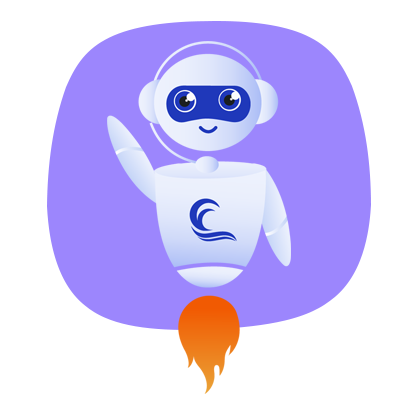
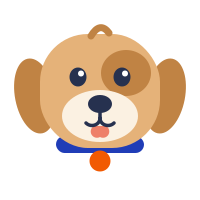
Portal works out of the box, but it doesn't have to feel like generic software. Give your assistant your own name, logo, and colors, and a character that fits your organization. Teams engage with an assistant that looks and sounds like their workplace far more readily than one that looks like software.
- Name your assistant and give it a character your team recognizes
- Your logo and color scheme applied throughout the interface
- Carries throughout Portal chat and CurrentWave Chat™, our customer-facing solution
 Scout
Scout Blossom
 Bolt
Bolt Otto
OttoIn this example of Golden Oaks Financial, the logo, colors, and avatar carry across the entire portal, so the tool reads as part of the workplace culture from the first login.
 Goldie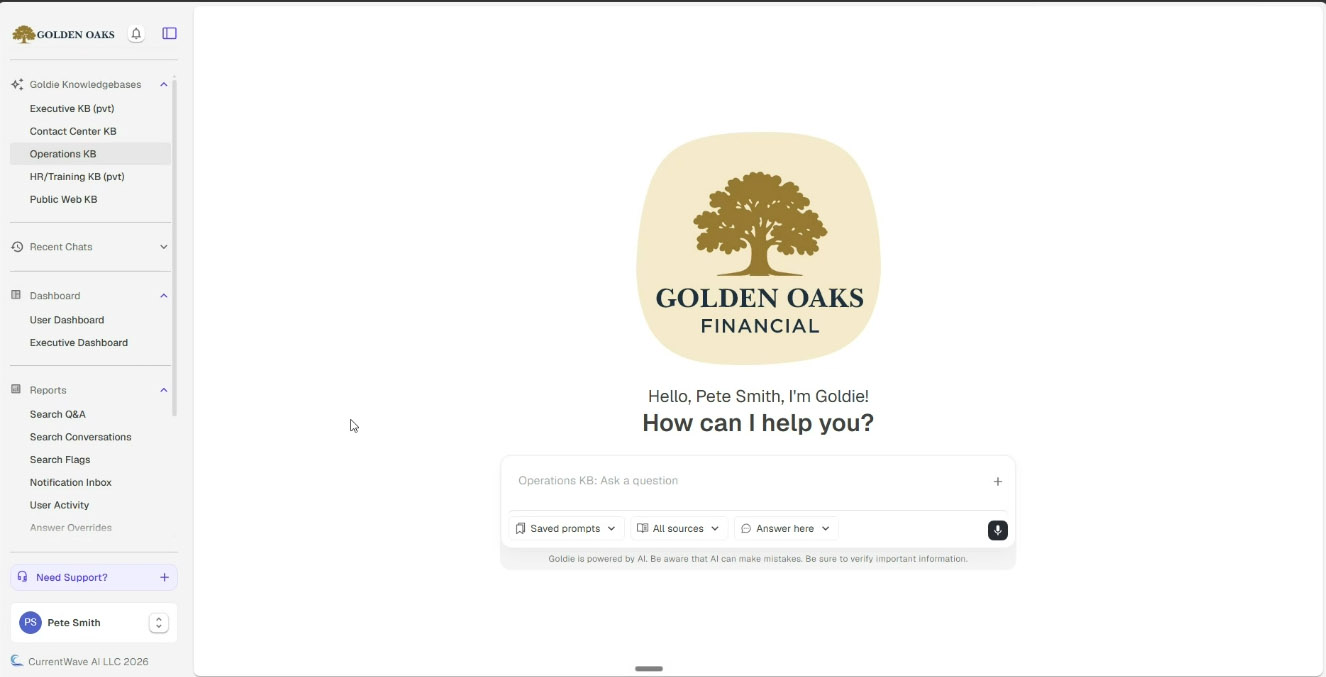
Fast, easy, secure, private.
Fast
Blazing-fast access to your documentation, resolving inquiries 98% faster.
Easy
Simple setup with no document prep required, so you onboard and start using immediately.
Secure
Enterprise-grade security with advanced permissions and encryption.
Private
Built-in PII management and data-privacy compliance for employees and customers.
Generic AI wasn't built for your organization. Ours is.
- General-purpose, one-size-fits-all
- No way to correct or improve answers
- Limited reporting and insight
- Risk of exposing your private data
- No visibility into document health
- No citations you can verify
CurrentWave Portal™- Custom-trained on your organization
- Human-guided tuning + in-app feedback
- Deep usage analytics & insights
- Fully private and secure
- Surfaces conflicts & gaps in your docs
- Clickable citations on every answer
Stop searching. Start knowing.
See how CurrentWave Portal™ turns your organization's knowledge into instant, trusted answers.